Free & open source · MIT

Type with your voice.
Anywhere.

Press Ctrl+Shift+Space, speak, press again — your words appear wherever your cursor is. 99+ languages, running entirely on your device: offline speech-to-text, local AI writing. No account, no API keys, no cloud.

Linux · macOS · Windows. The open-source alternative to Wispr Flow.

★ Star it on GitHub Pavun57/typist

Listening…
Typist in action — press the hotkey, speak, and polished text lands at your cursor

Run it yourself, or let us run it for you.

Typist is open source — download it and everything runs on your machine. Want zero setup instead? Typist Cloud hosts the speech and AI for you.

Typist Cloud

₹199/month

  • We run everything — hosted speech-to-text and AI, nothing to install or configure
  • No model downloads, no Ollama, no LM Studio
  • Sign in and dictate — works out of the box
  • Same voice commands, memory, and screen-aware help
  • Cancel anytime
Get Typist Cloud →

Same app, hosted engines

A voice assistant that types, sends, remembers, and fixes your code.

⌨️

Voice commands

Say “send this” and your message is typed and sent. “Undo that”, “new line”, “select all”. Keystrokes, not just words.

✍️

AI writing modes

Messy speech becomes clear, ready-to-send text that still sounds like you — from Raw to Professional to your own Custom instruction. Powered by your local model.

🧠

Memory

“Remember my address is X” saves it forever. Later, “type my address” drops it at your cursor. Stored only on this device.

👁️

Screen-aware help

“Solve this” screenshots the error and asks your local Claude Code / Codex CLI or a local vision model — then types the fix at your cursor.

🗣️

99+ languages

Auto-detect, or pin English, Hindi, Tamil, Telugu, Bengali, Kannada, Malayalam, Marathi, Gujarati, Punjabi, Odia, and more.

🔐

Private by design

Audio, text, style profile, and memory never leave your machine. No account, no sync, no analytics phoning home — ever.

Talk like you normally would.

You say“hey Pavun the meeting moved to 4, send this”
→Types Hey Pavun, the meeting moved to 4. and presses Enter. Sent.
You say“remember my wifi password is blue turtle 42”
→Saved. Later, “type my wifi password” types it at your cursor.
You say“undo that”
→Presses Ctrl+Z. Also: redo, select all, scratch that, new line.
You say“solve this (error on screen)”
→Reads the screen, reasons about it, types the fix:const total = items.reduce((s, i) => s + i.price, 0)

Your voice never leaves the room.

Speech recognition runs on your device with downloadable models — Whisper, Dolphin, Omnilingual. The AI writing pass runs on Ollama or LM Studio, on the same machine. There is no Typist server in the loop at all: unplug the internet and everything still works.

Three keys to a sent message.

01

Press the hotkey

From any app, any input field. A small pill shows Typist is listening. Click it to cancel.

02

Speak naturally

Dictate a message, a command, a fact to remember, or ask for help with what is on screen.

03

Press again. Done.

The transcript is polished by your local AI and typed at your cursor. It is on your clipboard too, just in case.

Two downloads, five minutes.

01

Install Typist

Grab the package for your OS below and open it. Unsigned builds need one extra click the first time.

02

Download a speech model

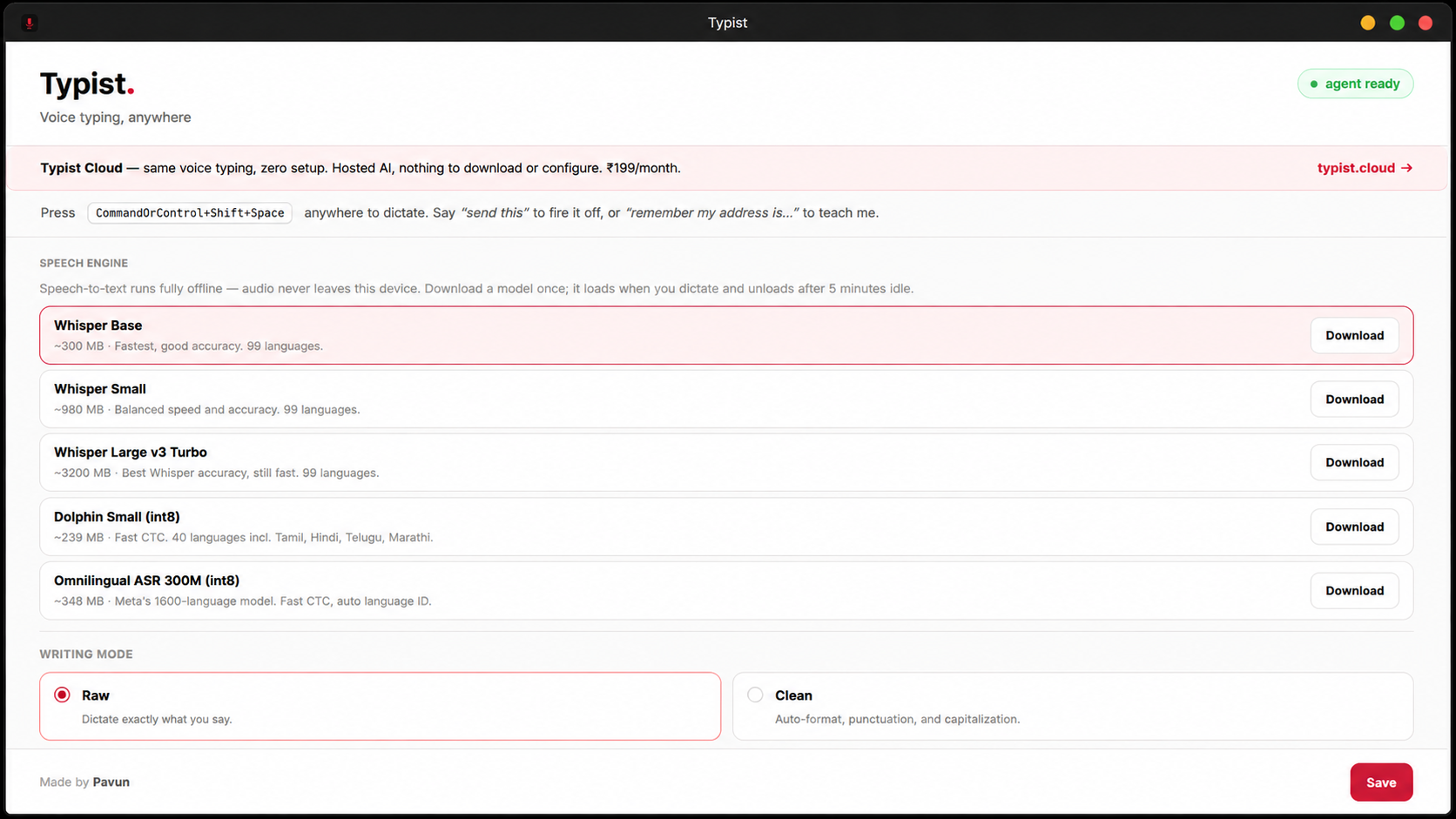
In Settings, pick a model — Whisper Base is a great start (~300 MB). One-time, then fully offline.

03

Optional: local AI

For AI writing modes, run ollama pull llama3.1:8b or point Typist at LM Studio's server (http://localhost:1234/v1). No key needed.

All platforms. Free forever.

Typist is MIT-licensed open source. Pick your OS — every feature is included, no account required.

Linux .deb package, older versions, and release notes are on the Releases page.